
Organizing Figma libraries is one of those foundational decisions that can either make your team sail smoothly or drown in a sea of broken instances and slow loading times.
When evaluating the 3-file split versus the 2-file split, and filtering that decision through the lens of modern, AI-assisted design workflows, the math changes slightly from traditional recommendations.
Here is a breakdown of how both approaches stack up, which one wins for AI workflows, and why.
Option A: The 3-File Split
- File 1: Foundations & Visual Styles (Colors, Typography, Elevation, Round Corners, Spacing variables, grids)
- File 2: UI Components, Patterns, and Templates
- File 3: Icons and Illustrations
Pros
- Performance: Figma doesn’t have to load heavy component geometry when a designer just needs to pull a color variable or an icon.
- Clean Architecture: Strict separation of concerns. You can update a color variable in File 1 without accidentally triggering a “review changes” flag on a complex organism component in File 2.
- Scalability: If your team grows or you introduce multi-brand themes, you can swap File 1 (Foundations) while keeping File 2 (Components) identical.
Cons
- Publishing Overhead: Making a foundational change means publishing File 1, opening File 2, accepting updates, and then publishing File 2 so the end-designers see it.
Option B: The 2-File Split
- File 1: Foundations & UI Components
- File 2: Icons and Illustrations
Pros
- Fewer Publishing Steps: If you create a new component that uses a brand-new color variable, you create both in the same file and publish once.
- Easier Maintenance for Solo/Small Teams: Less context-switching between tabs when building out the core design system.
Cons
- File Bloat: As the system grows, this file becomes incredibly heavy, slowing down memory performance in Figma.
- Rigid Architecture: It is much harder to break apart later if you decide to go multi-brand or multi-platform (e.g., separating iOS, Android, and Web components).
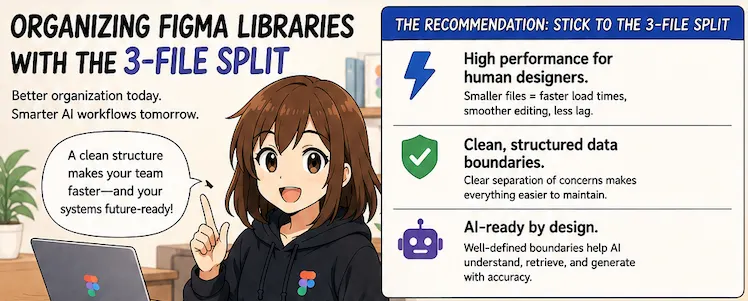
The Verdict for AI Workflows: Go with the 3-File Split
The 3-file split (Option A) is significantly better optimized for today’s and tomorrow’s AI-driven design workflows. Here is why:
1. Tokenized Context for AI Models
Modern AI design tools (like Figma’s native AI features, builder plugins, or code-to-design LLMs) rely heavily on Context. AI models ingest data better when it is cleanly categorized.
- When foundations (Variables, Design Tokens) live in their own file, the AI can cleanly parse the theming layer of your product without getting confused by the complex layout logic of a data table or a modal dashboard template.
2. Cleaner Code Generation (Design-to-Code)
AI is increasingly used to translate Figma designs into React, HTML/CSS, or Flutter code.
- In development, tokens/styles live in a configuration file (like a
tailwind.config.jsor a theme file), while components live in a component library. - Matching this mental model in Figma (by keeping Foundations separate from Components) allows AI code-generation tools to map Figma assets to codebase architecture with much higher accuracy and fewer hallucinations.
3. Smarter, Less Noisy AI Component Swapping
When you prompt an AI assistant to “replace this placeholder card with a product card component from my library,” the AI has to scan your enabled libraries.
- If Icons, Styles, and Components are mashed together, the vector search space for the AI is noisy. Separating them allows the AI to query specific asset buckets efficiently, leading to more accurate automated layouts.
The Golden Rule for Both Approaches: Keep Icons Separate
You correctly identified that Icons and Illustrations should always be in their own file, regardless of what you do with components.
Icons are vector-heavy and can contain thousands of individual paths. If you bundle them with your UI components, they will severely degrade the file’s performance. Furthermore, AI asset-generation tools and icon-swapping plugins work best when pointed at a dedicated, clean vector repository.
Summary Recommendation
Stick to the 3-File Split. It gives your human designers a highly performant Figma environment today, and creates the clean, structured data boundaries that AI workflows need to operate effectively.